Showing posts with label Facebook. Show all posts

Tuesday, March 26, 2013

Automatic Hide Facebook Like Button And Twitter Follower On Blogger/Blog

Social media could be great source of quality traffic for any blog and websites. There are many popular social media sites like twitter,stumble upon,Digg and Facebook.There are many social media widgets available for blogger like Pop Up Fixed Bookmarking Gadget For Blogger and Twitter one Click Follow button For Blogs. It will increase your blog's Facebook likes and twitter Followers and you will get more Followers and likes. It is Very easy to install in your Blog. This Plugins is made Compatible to work with all browsers especially with IE8. Today i'm gonna give you this automatic hide facebook like button and twitter follower.
Automatic Hide Facebook Like Button And Twitter Follower

LIVE DEMO

How To Add Automatic Hide Facebook Like Button And Twitter Follower To Your Blogger/Blog

  • Login to Blogger > Dashborad
  • Click on Drop Down Menu and select Layout
  • Add a HTML/JavaScript Gadget
  • Paste below code in it.

<script src="http://dl.dropbox.com/u/81212926/andikwin-like-fb%20(1).js" type="text/javascript"></script>

<div id="fbslidebox" style="position: fixed; width: 310px; overflow: hidden; bottom: 150px; right: 5px; background: #fff;) repeat scroll 0% 0% transparent; -moz-border-radius: 15px 15px 15px 15px; border: 5px ridge Black; display: block;">

 <div style="width: 295px; padding: 10px; margin: 0pt auto; overflow: hidden;">

   <a id="fbcloseslidebox" style="float: right; color: rgb(0, 0, 0); padding: 0pt 2px; border: 1px solid rgb(0, 0, 0); text-decoration: none; font-size: 10px; font-family: Verdana;" href="http://www.bloggerheroe.com/">Get This!</a>

 <strong style="color: rgb(0, 0, 0);">Like Blogger Heroe</strong>

  <a href="https://twitter.com/bloggerheroe" title="Blogger Heroe" class="twitter-follow-button" data-button="grey" data-text-color="#000000" data-link-color="#ffffff">Follow @bloggerheroe</a><script src="//platform.twitter.com/widgets.js" type="text/javascript"></script>

  <iframe src="//www.facebook.com/plugins/likebox.php?href=https%3A%2F%2Fwww.facebook.com%2Fbloggerhero&amp;width=300&amp;height=290&amp;colorscheme=light&amp;show_faces=true&amp;border_color&amp;stream=false&amp;header=false&amp;appId=274499205992567" scrolling="no" frameborder="0" style="border:none; overflow:hidden; width:300px; height:290px;" allowtransparency="true"></iframe>
  </div></div>

Make This Changes

  • Replace Code https://twitter.com/bloggerheroe in red Id Replace with your Twitter ID.
  • Replace Code k.com%2Fbloggerhero&amp Replace in red Id with Id Like Your Facebook Name.
  • Replace Code appId =274499205992567 "Replace in red Id with Id Like Your Facebook Name.
  • To arrange Like Facebook Width and height are the way you change the code width: 300px; Height: 290px; "to suit your taste.
That's the easy way to make Like Facebook In Blogspot Hopefully the above methods can be a little help for those of you who are in need. To own the result Demo In Senior slidebar Blog Blogger Heroe.You can appear when the rool scrool down and disappear again when rool in tarikg on

Monday, March 25, 2013

How To Add Floating Social Bookmark with Easing Effect

Social bookmarking is admittedly helpful for those those who have web site or journal. Due to minimize the use of javascript, I deliberately made ​​it plain widget without the use of a certain effect with the consequences of using images to create widgets that more and more. Well, now i'll provides a tutorial or a way to produce a floating social bookmarking appliance with extra easing result jquery library and after all with the employment of a smaller image.

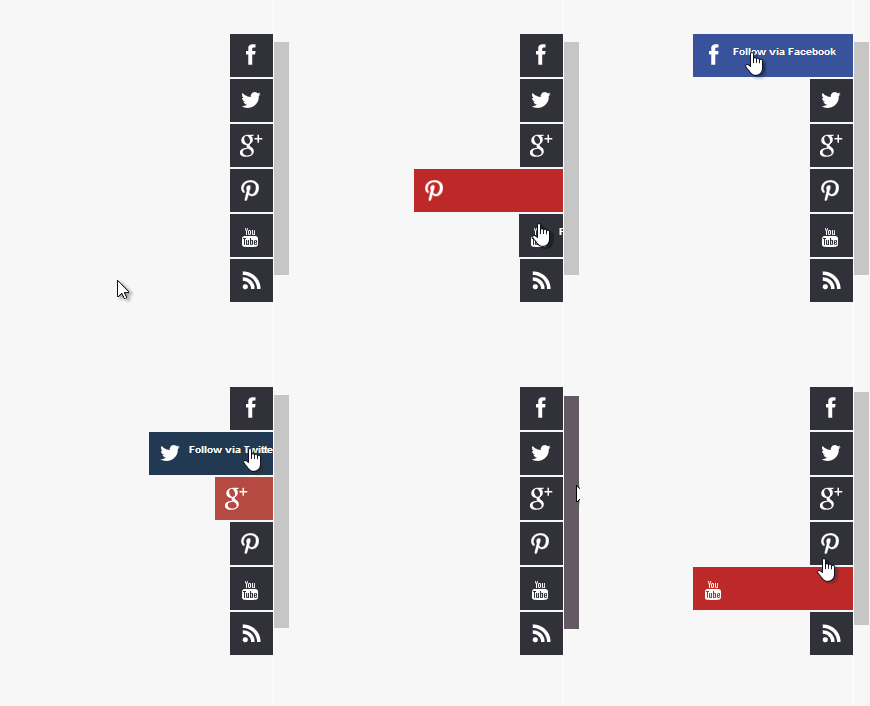
With the addition of jquery, if you set the indicator on one in every of the social bookmarker icon, it'll pop out slowly, Solo softer sort of a blue blood taking off of the palace, it had been thanks to the result of easing the present on jquery-ui.min . additionally to easing the results that I add the appliance, also because the sort of social media that I place lots a lot of. This appliance is galvanized from Johny Asal Responsive Template Blogger Asal Jadi.
How To Add Floating Social Bookmark with Easing Effect

Live Demo

Add Floating Social Bookmark with Easing Effect To Blogger/Blog

  • Log in to Blogger
  • Go to Template >> Edit HTML (tick expand widget templates )
  • Put the following CSS code above ]]></b:skin>

.social-buttons {
    position: fixed;
    top: 130px;
    width: 45px;
    z-index: 9999;
}
.button-left {
    left: 0;
}
.button-right {
    right: 0;
}
.social-buttons #twitter-btn .social-icon,
.social-buttons #facebook-btn .social-icon,
.social-buttons #google-btn .social-icon,
.social-buttons #rss-btn .social-icon,
.social-buttons #pinterest-btn .social-icon,
.social-buttons #youtube-btn .social-icon {
    background-color: #33353B;
    background-image: url(http://1.bp.blogspot.com/-KOzIiYFlBAk/UUmLwwZSs-I/AAAAAAAAAnA/h6G772N3cpI/s1600/mas-icons.png);
}
.button-left #facebook-btn span {
    background-position: right 10px;
}
.button-left #twitter-btn span {
    background-position: right -35px;
}
.button-left #google-btn span {
    background-position: right -127px;
}
.button-left #rss-btn span {
    background-position: right -80px;
}
.button-left #pinterest-btn span {
    background-position: 11px -177px;
}
.button-left #youtube-btn span {
    background-position: 11px -223px;
}
.button-right #facebook-btn span {
    background-position: 12px 10px;
}
.button-right #twitter-btn span {
    background-position: 11px -35px;
}
.button-right #google-btn span {
    background-position: 10px -127px;
}
.button-right #rss-btn span {
    background-position: 11px -80px;
}
.button-right #pinterest-btn span {
    background-position: 11px -177px;
}
.button-right #youtube-btn span {
    background-position: 11px -223px;
}
.social-buttons #facebook-btn:hover .social-icon {
    background-color: #3B5998;
}
.social-buttons #twitter-btn:hover .social-icon {
    background-color: #62BDB2;
}
.social-buttons #google-btn:hover .social-icon {
    background-color: #DB4A39;
}
.social-buttons #rss-btn:hover .social-icon {
    background-color: #FF8B0F;
}
.social-buttons #pinterest-btn:hover .social-icon {
    background-color: #D43638;
}
.social-buttons #youtube-btn:hover .social-icon {
    background-color: #C4302B;
}
.social-buttons a:hover .social-text {
    display: block;
}
.button-left .social-icon {
    -moz-transition: background-color 0.4s ease-in 0s;
    -webkit-transition: background-color 0.4s ease-in 0s;
    background-repeat: no-repeat;
    display: block;
    float: left;
    height: 43px;
    margin-bottom: 2px;
    width: 43px;
}
.button-left .social-text {
    display: none;
    float: right;
    font-size: 1em;
    font-weight: bold;
    margin: 11px 40px 11px 0px;
    white-space: nowrap;
}
.button-right .social-icon {
    -moz-transition: background-color 0.4s ease-in 0s;
    -webkit-transition: background-color 0.4s ease-in 0s;
    background-repeat: no-repeat;
    display: block;
    float: right;
    height: 43px;
    margin-bottom: 2px;
    width: 43px;
}
.button-right .social-text {
    display: none;
    float: left;
    font-size: 80%;
    font-weight: bold;
    margin: 11px 0 11px 40px;
    white-space: nowrap;
}
.social-buttons .social-text {
    color: #FFFFFF;
}

  • Next adding jquery and javascript, still in Edit HTML put the following code before the </head> :

<script src='http://ajax.googleapis.com/ajax/libs/jquery/1.8.3/jquery.min.js' type='text/javascript'/>
<script src='http://ajax.googleapis.com/ajax/libs/jqueryui/1.9.2/jquery-ui.min.js' type='text/javascript'/>
<script>
    $(window).load(function(){
        $(&#39;.social-buttons .social-icon&#39;).mouseenter(function(){
            $(this).stop();
            $(this).animate({width:&#39;160&#39;}, 500, &#39;easeOutBounce&#39;,function(){});
        });
        $(&#39;.social-buttons .social-icon&#39;).mouseleave(function(){
            $(this).stop();
            $(this).animate({width:&#39;43&#39;}, 500, &#39;easeOutBounce&#39;,function(){});
        });
    });
</script>

For jquery library blue above, if the template you are using is installed, only abandoned.

  • Further calling widget, place the HTML code below before </ body> :

<div class='social-buttons button-right hidden-phone hidden-tablet'>
<a class='itemsocial' href='https://www.facebook.com/YOUR FB' id='facebook-btn' target='_blank'><span class='social-icon'><span class='social-text'>Follow via Facebook</span></span></a>
<a class='itemsocial' href='https://twitter.com/YOUR TWITTER' id='twitter-btn' target='_blank'><span class='social-icon'><span class='social-text'>Follow via Twitter</span></span></a>
<a class='itemsocial' href='https://plus.google.com/YOUR G+' id='google-btn' target='_blank'><span class='social-icon'><span class='social-text'>Follow via Google</span></span></a>
<a class='itemsocial' href='http://pinterest.com/YOUR ID' id='pinterest-btn' target='_blank'><span class='social-icon'>
<span class='social-text'>Follow via Pinterest</span></span></a>
<a class='itemsocial' href='https://www.youtube.com/user/YOUR ID' id='youtube-btn' target='_blank'><span class='social-icon'><span class='social-text'>Follow via Youtube</span></span></a>
<a class='itemsocial' href='http://feeds.feedburner.com/YOUR feed' id='rss-btn' target='_blank'><span class='social-icon'><span class='social-text'>Follow via RSS</span></span></a>
</div>

Change the color blue above, with each ID should not be confused with the neighbor ID.

  • Finally, Save Templates and your done!
  • If you have any doubts don't hesitate to ask.Please Comment.
  • Now If  You Enjoy This Post! Please Take 5 Seconds To Share It.

Thursday, March 21, 2013

Best Tips to Make Your Blogging Career Successful

Blogging progression is new option for those who poverty to acquire by movement at abode, but real making your occupation productive in blogging business younger bit fractious. Virtuous work the stuffs is not called as blogging, publishing stuffs which has many invaluable or laborsaving for your readers called as blogging. If you are the somebody who wants to pull visitors from see engines then you requirement to create propellant stuffs.

Making your blogging career successful is easy task to do in minutes. You need to be self motivated and also capable to motivate others in way of your blogging.


Things You Condition to Make Yourself for Blogging

Blogging is not one day action, you necessary to institute enduringness in your aggregation creation. So you need to create a base for your success that is itself your blog. Here are some tips to make your blog attractive to read and spread also.

Generate Effective and Yet Unparalleled Contents

Your blog is starts from the cognition stuffs, your stuffs has a commonwealth to generate ulterior goal. Do not make things which are already publicised by so many bloggers freshly. Opt for new topics, couple stories which are yet new and public need to see it. Vindicatory bluffing is not blogging, you necessary to be a redeeming author with finer live on the message what you are feat to publicize.

Make Your Blog Optimized for Search Engines

 After generating proportion stuffs ever see that is look engine people you. If not then do it basic because you gift regress the priority of your stuffs in search engine's ranking. For surpass resultant submit your blogs to nearly all the renowned look engines manually and fetch your new content's contact in hunting engines webmaster tools.

Submit Your Blog to Bloggers List : Submitting your links with bloggers name can amend you in exploit outmatch ranks in activity engines. Few of them also gives do choose course also which is also opportune for you to get confirming lottery in Google tender body.

Bloggers, BlogCatalog and else channels are created for effort greeting from added bloggers retributory similar you.

Be Set Nigh Everyplace

For hurried response from your journal you can avow welfare of mixer media fabric where you can spreading your stuffs with your adjust friends and relatives. If you truly poorness to get untold from here then achieve yourself alter nearly everyplace.

Facebook, Twitter, Google Plus, Linkedin, Pinterest and leading social networking channels can support you to circulate your blog near to everyone.

Never Separate in Eff With Fast Programs

 Numerous of newbie bloggers tried and painfulness from the pinched resultant of fast programs. Truly there is no way to get booming in blogging manufacture unless you execute excavation here. Hurried package does not process your existent danger, it creates exclusive an unnatural success of your blog which is worthless. To achieve your dreaming undefeated never die in compassion with such quick success programs, otherwise they module eat your all energy Your Blog in Success

Achieving the success is not one day job, when you transmute an spry blogger for your diary you module see immature bit of response from your readers and this is your essential landmark of success. To go with farthest success you demand to be easygoing and study these acerate rules.


Multiply Your Readers

A journal can get often from existed exposure when the readers are e'er flared. You retributory necessary to encourage your friends to part your listing, widgets same Facebook distribute, Sound this and Pin it can exploit you to get this. Another way is encourage writer users from publicizing on mortal channels like Google Ad Language where you screw to place certain total for this. Never go with number and affordable advertisers who exclusive gives reciprocation, locomote them who real use something in appearance also.

Use a Hurt and Correspond for Others

If you publicised a compartment book of stuffs in your journal then try guest blogging. Visitant blogging increases the laurels of your blog and you also acquire game course with whatsoever new readers of otherwise blogs. It instrument be good choice for you if you conclude alto stratified journal. Never bonk a modify book of readers in their diary from start.

Alter a Modify Relation With Else Bloggers

If you are real angelical in friendship then sort your relations with whatever of famous and jock bloggers, this is a key spot to success. Disturbing additional bloggers is not the way of making a reputable someone with opposite bloggers.

Promote Your Blog for Guest Articles 

When you conceive you demand many contents to defend the strength in your journal then you staleness opt a couple for separate bloggers and thing marketers to submit their saucy and honest stuffs in your blog. For this thing you also poverty to give them to cook course under the collection as a recall gift. You can set your rules here according to your necessary.

After all you fair demand to hold the readers by prescribed sign and updating your journal. After some time your reader will play all the roles by sharing and promoting your fresh contents.

These all are the distance to wee your blogging advancement successful forever.

Wednesday, March 20, 2013

5 Tips to Investing Social Media for SEO

There's no uncertainty that in the humans of digital marketing, Google is King. Nonetheless, when Google decided to apply new updates to its formula this season, the entire online sphere detected. Time both websites lucked out, small- and medium-size businesses significantly dropped in their Google rankings resulting in an fast departure of traffic and profits.

More of what we've learned active the current updates to the sacred algorithm is that if Google is Businessman then Proportionality is his Personification. Priceless, personable, educational collection is what Google is attractive into reason as considerably as party engagement and interactions. Now many than ever, cultural media is a student participant in SEO as Google continues to consider your company's digital footprint as a whole, rather than simply your principal website.
5 Tips to Investing Social Media for SEO

Reaching The Crowds

Social media is a many-headed monster, and it may take a whole army to master it. So how can a company rise to the challenge and tame the beast? Take these five tips as a jumping off point. If you have implemented some, pat yourself on the back and start executing the rest. There’s no telling what the silver bullet will be for your social strategy when it comes to pleasing the King.

Add social media links to your website or blog.

  • This one is a acknowledged, but umpteen companies overlook to attach their website to their social pages and vice-versa, wanting out on coercive link juice. If your reserves is B2C, it is intrinsic to add social sharing buttons to your quantity pages. The Like, Tweet and +1 buttons are the most desirable.

Cross-pollinate.

  • To tap the power of your social sites, fastening your sociable media pages unitedly: Facebook should join to Twitter, Google+, Pinterest, your blog and author. Disregarding of which social medium your conference lands on honours, they should be sensible that you are in else social spaces as rise. Cerebrate of this activity as the lot of history - Flier blogs to your Facebook attendant, Sound about your new Facebook pic medium and +1 your own journal situation. See that? Shape.

Locomote your blog's strategy.

  • If you don't change a blog, alter one. Let your executive body blog, feel temporary bloggers, and let the janitor indite a Haiku, or employ copywriters and get business information from new sources. There is copiousness of fantastic noesis procurable but the one action absent from many accompany blogs is humans. You're a manlike not a golem, so speak to what your interview wants to center and sparge in some personable sort.

Email

  • Oh, Netmail. Solace one of the most winning digital marketing strategies to engagement. With smartphones and tablets, netmail is fast and allows content to be pushed to a circumstantial consumer bag faster than any Facebook post or Tweet can. Oblige social links into every employee's telecommunicate fashion. This way, you are act your social pages to customers without pushing it on them.

Employee livelihood.

  • Tongued of employees, they alter major call advocates. Encourage them to originate your social pages, share with friends and household, and interact when suitable. Additionally, if your employees diary, ask them to discourse nearly your company-in a positive manner-and instruction rearmost to your website. Every short connectedness helps. A well-known locution states that a company is exclusive as vehement as the group behindhand it, and at your associate that regard should hold true.

From The Editors Desk

My hope is that you’re able to implement a few of these necessary measures to boost your social strategy and SEO efforts. Just remember that in everything you do in social media, keep the King in mind.

Friday, March 15, 2013

How To use IFTTT For Internet Marketing

As any internet marketer knows, time is money! We are busy folks with a never ending to do list so anything that can help us save time is essential.

What Is IFTTT?

IFTTT (If This Then That) is a fantastic free tool that lets you connect web services so they can talk to each other. It works like this-


Real Life Examples

To make it easier to understand let me give you some real life examples of how to use the tool-
  1. Every time you update your Twitter picture, your Facebook picture gets updated
  2. Every time you publish a blog post, a backup gets saved in Evernote/Dropbox
  3. Every time your tagged in a photo on Facebook, it gets saved to Google Drive
They are just a few examples of how you can use IFTTT. It is actually compatible with a huge range of services that you can connect together and make your own 'recipes' like the examples above.


Creating Your First IFTTT Recipe

After you have registered for the site you can create your first recipe. In this example I'm going to show you how I automatically backup my blog posts to Evernote. So every time an RSS feed is updated, we want to make a copy to Evernote. First of all click Create Recipe and you'll see something like this-


Just click on This and you will be asked to pick your trigger channel. Select Feed from the list and then New Feed Item - you should see something like this-


Now just paste in the RSS feed URL from the blog you want to automatically backup and click on Create Trigger Next click on That and select Evernote > Create a note You should see something like this-


As you can see I have told it to create a new note in the 'Blog Backup' notebook. You can leave everything else at default (add tags if you wish) and then click Create Action The final step is to double check everything is setup as you wish and to give it a description-


Once you are happy just click on Create Recipe and you’re done! Voila! Now every time you publish a new post, a backup will automatically appear in Evernote!

How I Use IFTTT

So now you know how to use IFTTT and understand just how powerful it can be I wanted to show you some real examples of how I use it on my blog.

Content Creation

I publish 2 popular posts on my blog every month, one is the income report round up and the other is what I have read this month.

Income Report Roundup

This post is a just a ranking of blogs that have published income reports the previous month along with a few notes of how they did it. Instead of hunting down these posts every month I have created a few IFTTT recipes that automatically downloads the income reports into an Evernote notebook as soon as they are published.


So when I come to writing the post all I have to do is look at the 'Income Reports' notebook in Evernote and all the information I need is right at my fingertips saving me about 30 minutes of manual digging!


What I Have Read This Month

This post is just my way of sharing all of my favourite internet marketing related posts from the last month. I have all of my favourite RSS feeds setup with Google Reader and then created this recipe-


So every time I star an item in Google Reader, it gets copied to the 'Reading List' notebook in Evernote. I also have the Evernote web clipper installed on my web browser so I can easily save other articles to that notebook as well as I'm browsing.


Social Media Archiving

If you engage on social media it is always great to have a backup of it all. Twitters searchable archives only go back a week or so but IFTTT can help us out with that! You can create a recipe for each social network that will automatically backup any status updates/photos that are posted to your backup service of choice. That could be Dropbox, Google Drive or Evernote!

Other Uses

Quite a lot of IFTTT users choose to share their recipes so others can use them as well. Here are a few that stood out-

Video Tutorial

For those of you that prefer video I have also created a video based tutorial for IFTTT which you can watch below-

How Will You Use IFTTT?

So now you know how amazing IFTTT is and how easy it is to use - how are you going to use it? There are literally millions of ways you can combine the services IFTTT supports to do nearly anything you want. Whether that is managing your blog, getting updates on stock prices or even automating your home - IFTTT has you covered!
Write For Us Guest Author
About The Author
Won the ProBlogger 'One To Watch 2013' award with his blog that publishes high quality internet marketing tutorials. Discover how he took the blog from $600 to $10,000 a month in just 4 months. You can follow him on Google+.

Saturday, February 23, 2013

Google+ attention Admitted in 2013

In 2013, reportedly Google+ will dominate all social media sites in the world .  Google+ launched for the first time in 2011, ie before the panda and penguin out of the cage. At that Google+ only to the extent that social media is not so popular. Compared to Facebook, Twitter, Google+ still far less.

Well, over the times, on 21 September 2012, Google via Google Webmaster said about spending Authorship. Actually not so new, since before that there are some sites that have them. But here's the point of climax in which Google+ bloggers started a top priority .

Facebook Vs. Google
Image by: www.business2community.com

Different views are more eye-catching in the Google SERP make bloggers vying for Google Authorship recognition. Not only that. In the next month introduce Google+ hangout video chat facility as well as to communicate over long distances between Google+ users.

Meanwhile, Google continues to shooting the other features that make Google+ users feel at home with this.This site that one, too, who makes Google+ in recent years became dominant among other social media sites.

So, what is the reason I say Google+ an especial concern in 2013?

In 2012 we all know the major Google Panda Algorithm Update issued and Pinguin. The new algorithms are slashing all waste sites that are not qualified, and which uses techniques naughty. Well, in 2013, a senior Google+ dubbed the big G in the past stated,
If you want to play ball, try join our team
Bottom line, if you are an internet marketer, online business, or the like .. And now need something to promote your site or product in the face of real competition, since the referee panda penguin was given a red card in the team of cheating, Google+ is a solution.

Any company would want a product sold, and the profits gained too great. Together Google+, a company can explore all of its customers either through post, chat, and video hangout. Google+ Plus display is user-friendly.

Although sites such as Facebook also provides features such as I mentioned above, Google still ahead in position considering that in 2013 Google will give value on sites that have a separate rank in Google Authorship.

From The Editors Desk

I myself is still using Google+ just as a means of posting blog articles. Nothing more. Existing facilities such as chat, video hangout I had not maximized its use.

Thursday, January 31, 2013

Steps For Promoting Your Business Through Facebook

Facebook is not only the unexceeded gregarious networking website but can also be used to delegate your line in the most loveable manner. Facebook can assign you to act neighboring with your place customers throughout the day. It also helps you to create nightlong long relationships with your customers. In prescribe to delegate your business finished Facebook, you status to withdraw several initial steps that are mentioned below:
Promoting your business Through Facebook

Develop Your Business Page

The ordinal block for promoting your commerce on Facebook requires the development of commerce attendant. The Facebook line tender is not righteous a weblog because it offers you a find of programs for enhancing the mortal interactivity. A byplay tender is actually a unshared Facebook salience for the role of promoting your playacting in Facebook community. You can easily create such profile by the plant of your playing so that you can appeal solon and statesman potentiality customers towards your products and services.

Make it Interactive

The saliency illustration of your acting diplomatist should be rattling relevant yet eye-catching in prescribe to create an effect on all the audience. The simulation plays a really vital part in the marketing of contrastive brands and their products. Try to sustenance on adding solon and much friends apiece day in request to play your business tender more perceptible. E'er protect the support updated by commenting on the activities of members and by posting contrastive messages.

Create a Facebook Group

Creating a Facebook group can support you to activity your commercialism products in an effectual way. These groups stir a lot of fill from all around the earth for demotic movement or activeness. They can also refer their views on these groups. Creating much groups can meliorate you to help the soul of your variety and also to modify your income.

Integrate Facebook Like Button

It is highly advisable to combine the Facebook 'Like' fasten on the website of your playacting. It leave ply you to determine extremum benefits from Facebook as it provides author salience to your firewood on the web. The Facebook 'Like' add allows the users to get the pages of your sector website to their Facebook salience. It brings a strand notion and also helps your firewood to seize peak tending of the possible customers.

Integrate Facebook Comment System

If you correspond blogs for the advancement of your line, you can easily supply the plug-in equivalent the Facebook observe method that enables the users to lead comments regarding your journal. This grouping does not enjoin the users to register and it allows them to percentage these comments on the palisade which really enhances your online perceptibility. This system helps you to let a signal of group pair near your last products. It is a unconfined upkeep that helps you to growth your quantity sales in the most suitable sort.

Remain Consistent

Maintain visiting your business page very oftentimes or at lowest erst a day in arrangement to have a travel in your marketing efforts. You should aggregation utilitarian and titillating assemblage to the page on symmetric fundament in prescript to compound your visibleness. If you real require to get the desired results then you necessary put a pursuant travail for that. In this way, you module automatically clutch the attention of your latent customers.

Online Advertisement

To write articles and blogs related to your business, its strategies and overall image and introduction can be a great strategy to promote your small business. The well written business articles catch the attraction of the people interested in this area. This not only promotes potentials buyers and customers but also increases links and associations ultimately helping it generating revenue and increasing the business’s popularity. Moreover, spend more and more time on internet for the promotion of your business online. You can do it by making contacts through social networking sites. Advertise your business at various forms.

Collaboration With Other Businesses

By collaborating with other businesses, you can get good response. If you have decided to distribute brochures everywhere, add the business card of another company who has coordinated with you to act the same in order to strengthen the small business. You can promote your business through complementary businesses. In this way, you can get the huge number of potential prospects and customers. This also helps in developing good relations the competitor business industries.

Thursday, December 20, 2012

How To Add Pro Facebook Like Box Widget Beside Beautiful Social Sharing Box in Blogger Post Footer

 In my preceding article I cover on How To Build Subscription Box With Facebook Like And Send Button To Blogger Blog and Add a Stylish Subscription Box With Social Media Buttons Below Every Posts. Today in this post i'll show you the pro facebook like box widget beside beautiful Social sharing box at the bottom of every blog post, This widget will help you in increasing your blog's facebook likes, twitter tweets and more subscribers. This Widget Generator let's you easily generate your pro facebook like box widget beside beautiful Social sharing box and also easily add to your Blogger Blog.


How To Add This Widget To Blogger?
  • Fill up the required data in widget generator below
  • Click on "Generate" button to get 2 type of the code 1.CSS & 2.HTML


Ok ! What's Next ?
  • Now Go to Blogger Dashboard > Template
  • Click on Edit HTML
  • Hit Proceed button
  • Check Expand Widget Template checkbox.
  • Find below code in your blogs HTML
<div class='post-footer-line post-footer-line-1'/>
  •  Now copy and paste "HTML" Code just above it.
  • Next search for ]]></b:skin> in your blogs HTML
  • Copy and paste "CSS" code just above it.
Now save your template and you have done !!
  • If you have any doubts don't hesitate to ask.Please Comment.
  • Now If  You Enjoy This Post! Please Take 5 Seconds To Share It.

Tuesday, December 18, 2012

How To Add Minimizable floating facebook like box widget for blogger

I already acknowledged a lot of facebook widgets. In this post i will give you new and awful popup minimized widget for facebook like box, you can see below reanimated take maneuver as a demonstrate, you can set this widget anywhere like bottom-left or bottom-right and it can be minimized by clicking the conservative in the upper-right plight of the popup box. Now if you want to add this widget to your page than it's too simple,  just fill the required data in generator below and then go to add to blogger button !


How To Install This Widget To Blogger?
  • Fill the required data in generator below
  • Customize setting as you need 
  • Click on "Generate" button and next click to "Preview" button to see your customized settings...
  • Finally click on "Add to blogger" to add this widget to your blog.
  • If you have any doubts don't hesitate to ask.Please Comment.
  • Now If  You Enjoy This Post! Please Take 5 Seconds To Share It.

Tuesday, November 27, 2012

How To Add Sliding In-Out Social Sharing For Blogger

Social Sharing can help your blog to get more traffic and for this you need attractive and beautiful social sharing widget.In this post I will give you good looking social sharing widget by which you will get more like plus one and tweets on your post.This widget is very different from others be'coz it's a Sliding In-Out Social Sharing Widget which will embed at the bottom of your blog and you can easily use Slide IN OR OUT by clicking on it via mouse. It includes the 3D effect of social sharing button.

LIVE DEMO


ADD SLIDING IN-OUT PRO SOCIAL SHARING WIDGET

  • Log in to blogger  Design > Page Element.
  • Click Add Gadget and select 'HTML/Javascript
  • Now Paste Below code.

<style type="text/css">
#mdfixedfootermain{
z-index:999999;
width:300px;
height:0px;
position:fixed;
bottom:0%;
right:5px
}
#mdfixedfooterdiv{
border-top:3px solid #444;
border-right:3px solid #444;
border-left:3px solid #444;
-moz-border-radius:6px;
-webkit-border-radius:6px;
border-radius:6px;
background color:#d7d7d7;
overflow:none;
width:300px;
height:250px;
position:fixed;
bottom:0%;
right:5px;
background:#fff;
background:-moz-linear-gradient(top, #fff 0%,#e5e5e5 100%);
background:-webkit-gradient(linear,left top,left bottom,color-stop(0%,#fff),color-stop(100%,#e5e5e5));
background:-webkit-linear-gradient(top, #fff 0%,#e5e5e5 100%);
background:-o-linear-gradient(top, #fff 0%,#e5e5e5 100%);
background:-ms-linear-gradient(top, #fff 0%,#e5e5e5 100%);
background:linear-gradient(to bottom, #fff 0%,#e5e5e5100%);
filter:progid:DXImageTransform.Microsoft.gradient( startColorstr='#fff',endColorstr='#e5e5e5',GradientType=0 )}
#mdfixedfooterhide{
z-index:999999;
position: absolute;
bottom:250px;
right:5px;
width:285px;
height:25px;
cursor:pointer;
background-color:#fff;
padding-top:5px;
border-top:3px solid #444;
border-left:3px solid #444;
border-right:3px solid #444;
border-top-right-radius:5px;
border-top-left-radius:5px;
}
#mdfixedfootershow{
position:absolute;
bottom:0px;
right:5px;
    width:285px;
height:25px;
cursor:pointer;
background-color:#e5e5e5;
padding-top:5px;
border-top:3px solid #444;
border-left:3px solid #444;
border-right:3px solid #444;
border-top-right-radius:5px;
border-top-left-radius:5px
}
.mdfixedfooterdownarrow{
width:0;
height:0;
border-left:10px solid transparent;
border-right:10px solid transparent;
border-top:10px solid #333
}
.mdfixedfooteruparrow{
width:0;
height:0;
border-left:10px solid transparent;
border-right:10px solid transparent;
border-bottom:10px solid #333
}
.mdfixedfooterblockarrow{
width:8px;
height:10px;
background-color:#333
}
#mdfixedfootersocial{
position:absolute;
bottom:220px;
right:10px;
width:280px;
height:30px;
float:right
}
#mdfixedfootersocialicon{
position:absolute;
bottom:135px;
left:10px;
width:auto;
height:64px
}
#mdfixedfooteremailsubscribe{
position:absolute;
bottom:0px;
width:242px;
height:90px;
right:30px
}
.mdfixedfooteremailsubscribebox input.email{
padding:7px 10px 7px 10px;
font-family:"Arial","Helvetica",sans-serif;
width:218px;
font-size:12px;
-webkit-border-radius:5px;
-moz-border-radius:5px;
border-radius:5px
}
.mdfixedfooteremailsubscribebox input.subscribe{
-moz-box-shadow:inset 0px 1px 0px 0px #fff;
-webkit-box-shadow:inset 0px 1px 0px 0px #fff;
box-shadow:inset 0px 1px 0px 0px #fff;
background:-webkit-gradient( linear,left top,left bottom,color-stop(0.05,#f0f0f0),color-stop(1,#c9c9c9) );
background:-moz-linear-gradient( center top,#f0f0f0 5%,#c9c9c9 100% );
filter:progid:DXImageTransform.Microsoft.gradient(startColorstr='#f0f0f0',endColorstr='#c9c9c9');
background-color:#f0f0f0;
-moz-border-radius:6px;
-webkit-border-radius:6px;
border-radius:6px;
border:1px solid #dcdcdc;
display:inline-block;
color:#777;
font-family:arial;
font-size:13px;
font-weight:bold;
padding:6px 18px;
text-decoration:none;
text-shadow:1px 1px 0px #fff
}
.mdfixedfooteremailsubscribebox input.subscribe:hover{
background:-webkit-gradient( linear,left top,left bottom,color-stop(0.05,#c9c9c9),color-stop(1,#f0f0f0) );
background:-moz-linear-gradient( center top,#c9c9c9 5%,#f0f0f0 100% );
filter:progid:DXImageTransform.Microsoft.gradient(startColorstr='#c9c9c9',endColorstr='#f0f0f0');
background-color:#c9c9c9
}
</style>
<!--[if IE]>
<style>
.mdfixedfooteremailsubscribebox input.subscribe{
width:243px
}
</style>
<![endif]-->
<!--[if gte IE 9]>
<style type="text/css">
.gradient{
filter:none
}</style>
<![endif]-->
<div id="mdfixedfootermain">
<center id="mdfixedfootershow"onmouseup="document.getElementById('mdfixedfooterdiv').style.display='block'">
<table  style="margin-top:-2px;">
<tr>
<td>
<center style="color:#333;font-size:15px;font-weight:bold;">
Be Socialized And Subscribed
</center>
</td>
<td>
<center>
<div class="mdfixedfooteruparrow">
</div>
<div class="mdfixedfooterblockarrow">
</div>
</center>
</td>
</tr>
</table>
</center>
<div id="mdfixedfooterdiv">
<center id="mdfixedfooterhide"onmouseup="document.getElementById('mdfixedfooterdiv').style.display='none'">
<table  style="margin-top:-2px;">
<tr>
<td>
<center style="color:#333;font-size:15px;font-weight:bold;">
Be Socialized And Subscribed
</center>
</td>
<td>
<center>
<div class="mdfixedfooterblockarrow">
</div>
<div class="mdfixedfooterdownarrow">
</div>
</center>
</td>
</tr>
</table>
</center>
<div id="mdfixedfootersocial">
<center style="color:#333;font-size:12px;">
Recive All Latest And Hottest Articles,Tips And Tricks,Awesome Widgets Directly Into Your Inbox And Stay UpDate With Us...!!!
</center>
</div>
<div id="mdfixedfootersocialicon">
<table>
<tr>
<td>
<a href="https://www.facebook.com/bloggerhero">
<img height="48px"width="48px"title="Like Us On Facebook"alt="Facebook"src="https://blogger.googleusercontent.com/img/b/R29vZ2xl/AVvXsEgJV8iJxlFpZGABNwBFdbNQe9XxCdqRcAGvlFqJvOB6D10FIE1uJEMIwWcXb7qBvOmNUKwTLYUFiVCWWvkfkRxHHBr9C4HexycCTDH_KuBgy8Ekh9LZslCrNlLWmtDgJ9S5n2DtKyT8vdiD/s1600/MD-Facebook1.png"onmouseover="this.src='https://blogger.googleusercontent.com/img/b/R29vZ2xl/AVvXsEjN9NUlhS6KCrLmdFlOwyGj0LXw-LuPtWAekCAkAnv85DRlenxv4k9qUxviOccyIk6qRnCd5B-WdiEqH_3nRFhEKJJRspjmtF4Vb28q6jOnDRzCfT3KERabgrKslNfc4fEaD4nnz1Bv0x2T/s1600/MD-Facebook2.png'"onmouseout="this.src='https://blogger.googleusercontent.com/img/b/R29vZ2xl/AVvXsEgJV8iJxlFpZGABNwBFdbNQe9XxCdqRcAGvlFqJvOB6D10FIE1uJEMIwWcXb7qBvOmNUKwTLYUFiVCWWvkfkRxHHBr9C4HexycCTDH_KuBgy8Ekh9LZslCrNlLWmtDgJ9S5n2DtKyT8vdiD/s1600/MD-Facebook1.png'"/>
</a>
<br />
<a href="http://twitter.com/jaa_09">
<img height="48px"width="48px"title="Follow Me On Twitter"alt="Twitter"src="https://blogger.googleusercontent.com/img/b/R29vZ2xl/AVvXsEjk-BjzE_ExGCSuI_DhGOrgl9L1SXDpLkhf6jNKjL-LLWXSYZjTlZ35f7Ju01CO46u7LX-h9rMxxRUYaVxcZahZfHLB1xDFXT0o2XgZOIkjmb-Xia9HGeR9NaFLMhGsI1uIn58-ys_rk8dQ/s1600/MD-Twitter1.png"onmouseover="this.src='https://blogger.googleusercontent.com/img/b/R29vZ2xl/AVvXsEhA-p7ibDpd33AgoP8piVNOrCSelJy_71uACA8VQWqQDOGGfKkLzvJbT8-SMqqCCkRGyYmb822mRBhYQ_TDS_vso1HvWvRMwbrKd2fFjVDqyLYTjcAigqKP5l-yibhgLI17OqnXZ5x7YWNK/s1600/MD-Twitter2.png'"onmouseout="this.src='https://blogger.googleusercontent.com/img/b/R29vZ2xl/AVvXsEjk-BjzE_ExGCSuI_DhGOrgl9L1SXDpLkhf6jNKjL-LLWXSYZjTlZ35f7Ju01CO46u7LX-h9rMxxRUYaVxcZahZfHLB1xDFXT0o2XgZOIkjmb-Xia9HGeR9NaFLMhGsI1uIn58-ys_rk8dQ/s1600/MD-Twitter1.png'"/>
</a>
</td>
<td width="75px"valign="top">
<a style="font-size:12px;color:#333;font-weight:bold;"href="https://www.facebook.com/bloggerhero">Like Us On FaceBook
</a>
<br />
<br />
<a style="font-size:12px;color:#333;font-weight:bold;"href="https://www.twitter.com/jaa_09">Follow Us On Twitter
</a>
</td>
<td>
<a href="https://plus.google.com/106957260261276964704"><img height="48px"width="48px"title="Add Us To Your Circle"alt="Google Plus"src="https://blogger.googleusercontent.com/img/b/R29vZ2xl/AVvXsEg_BF03nOU5no0ZnYhp2F9eC1emyq7lMMUZMwRDxetE4iqv5azYvYxKCBsjiKHSAVUCOrWB7dTkvR6vNT-M86mOaa6G6XlzJS5i6PH0Z3kVIE0rQtYtrXtA_5LSZ2yDkuYBCAXjCSU8E2ah/s1600/MD-Google1.png"onmouseover="this.src='https://blogger.googleusercontent.com/img/b/R29vZ2xl/AVvXsEi00JobSFg2M23L53m2N2v-TyVLgZO6VASPE3oVBJSBTBSiqlv8_QQ19Lxzjdo7rjEBc0PfgPsqGriSNH7AfXNULRopGl5aK_dubkzAvSrGNcRzVXO76BraZgtBRTgObxgnrj0P8L0iIooe/s1600/MD-Google2.png'"onmouseout="this.src='https://blogger.googleusercontent.com/img/b/R29vZ2xl/AVvXsEg_BF03nOU5no0ZnYhp2F9eC1emyq7lMMUZMwRDxetE4iqv5azYvYxKCBsjiKHSAVUCOrWB7dTkvR6vNT-M86mOaa6G6XlzJS5i6PH0Z3kVIE0rQtYtrXtA_5LSZ2yDkuYBCAXjCSU8E2ah/s1600/MD-Google1.png'"/>
</a>
<br />
<a href="http://feeds.feedburner.com/bloggerheroe">
<img height="48px"width="48px"title="Subscribe Our RSS"alt="RSS"src="https://blogger.googleusercontent.com/img/b/R29vZ2xl/AVvXsEiUM9GXCYU97OgzNdEkPdIvoJaUh1lMZ8ue3hw1VFlJ3pcuC1fvKsMBgcs-30uQBjzR16gdNhMqDG4IWjEatJ_gNcxOqxld6MRsbHMdy4N-iHujmaGkaHvSvFEJ7K6JCKYj_yVqBeqSyek5/s1600/MD-Feedburner1.png"onmouseover="this.src='https://blogger.googleusercontent.com/img/b/R29vZ2xl/AVvXsEj8UwG9UC4vwWiiJ0rJAuz9NjTYGcRto8YYbGiSRNF34fQqF5hC6E38CdXYtyUDcL0XbkuVAxmnE0kKv5bpV3iOV66lt49SaxetmIXj4XB1dlsbzT9H__EF6aFrvioWH1eYJJtgRMMAX7rJ/s1600/MD-Feedburner2.png'"onmouseout="this.src='https://blogger.googleusercontent.com/img/b/R29vZ2xl/AVvXsEiUM9GXCYU97OgzNdEkPdIvoJaUh1lMZ8ue3hw1VFlJ3pcuC1fvKsMBgcs-30uQBjzR16gdNhMqDG4IWjEatJ_gNcxOqxld6MRsbHMdy4N-iHujmaGkaHvSvFEJ7K6JCKYj_yVqBeqSyek5/s1600/MD-Feedburner1.png'"/>
</a>
</td>
<td valign="top">
<a style="font-size:12px;color:#333;font-weight:bold;"href="https://plus.google.com/106957260261276964704">
Add Me <br />In Circle
</a>
<br />
<br />
<a style="font-size:12px;color:#333;font-weight:bold;"href="http://feeds.feedburner.com/bloggerheroe">
Subscribe <br />Our RSS
</a>
</td>
</tr>
</table>
</div>
<div id="mdfixedfooteremailsubscribe">
<div class="mdfixedfooteremailsubscribebox">
<form action="http://feedburner.google.com/fb/a/mailverify"method="post"target="popupwindow"onsubmit="window.open('http://feedburner.google.com/fb/a/mailverify?uri=bloggerheroe','popupwindow','scrollbars=yes,width=550,height=520');return true"><input class="email"type="text"id="email"name="email"value="Enter Your Email Here.."onfocus="if(this.value==this.defaultValue)this.value=&#39;&#39;;"onblur="if(this.value==&#39;&#39;)this.value=this.defaultValue;"/>
<input type="hidden"value="bloggerheroe"name="uri"/>
<input type="hidden"name="loc"value="en_US"/>
<br />
<input class="subscribe"name="commit"type="submit"value="Subscribe Our News Letter Now"/>
</form>
</div>
<center style="color:#333;font-size:8px;">
E-Mail Will Be Delivered By FeedBurner.
</center>
</div>
</div>
</div>

  • Click "Save".
  • View your blog to see the widget.

MAKE THIS CHANGES

  • Bloggerheroe – Replace this with your feed title. You should also see this at the end of your subscription link url. Mine is Bloggerheroe as seen in this link: http://feedburner.google.com/fb/a/mailverify?uri=bloggerheroe
  • http://feeds.feedburner.com/bloggerheroe – Replace this with your feedburner link.
  • http://twitter.com/jaa_09 – Replace with your twitter profile link.
  • https://www.facebook.com/bloggerhero – Your facebook page or profile link here.
  • https://plus.google.com/106957260261276964704/ – Replace with your Google+ profile link.
  • Now If  You Enjoy This Post! Please Take 5 Seconds To Share It.

Thursday, November 15, 2012

Facebook Chat Rainbow Text Generator

In my preceding article How To Add Blue Text In Facebook Status Updates, Comments and Messages. Now i eventually found my contender Facebook Rainbow Text Generator, This Generator are my by Widget Generators. That's why i repost on my journal because i really suchlike this . Facebook Rainbow Text is really new brilliant way for emoticons which create the gaudy text which is display for braw text to your friends spell you schmooze with them on Facebook. This is a new and rattling unique way which made by using 3 languages HTML, CSS and JavaScript.

How To Use This Generator

  • Simply Conscionable Occlusive on Create Fix.
  • Codes leave generate.
  • Simulate that Codes and Adhesive on Facebook Chat.
                   
  • Now you can conversation now your hump ones and friends in unique matter

Sunday, November 11, 2012

How To Add Blue Text In Facebook Status Updates, Comments and Messages

Coincidentally, I constitute an engrossing performance on Facebook that would permit you to create "wear text" in your status or even in annotate. What the meaning of this is that the position in which by fail is in dispiriting author emblazon lose to downhearted emblem with a statement to your neglect salience. Here the steps to do that:
  • Go to your Facebook, try to make a status or comment like this:
@@[1:[0:1:How To Add Blue Text In Facebook Status Updates, Comments and Messages | bloggers-hero.blogspot.com]]
  • Then press enter. See what happen.

You can replace this sentence, “How To Add Blue Text In Facebook Status Updates, Comments and Messages | bloggers-hero.blogspot.com” to your own status or comment. Such as “I in love with this person” to get tricky status which whenever your friend click the link it would go to their own profile. That gonna be fun, isn’t it?
  • For better understanding it go to like this: @@[1:[0:1:Type your Facebook Status at here]]

  • So isn’t this amazing trick to make text Blue in color so enjoy impressing your friends on Facebook and do share this trick if they ask you how its done.

Monday, October 29, 2012

How To Add Facebook Like Button To Blogger Posts?

As we all undergo facebook is one of the maximal multiethnic media company in the language.If your blog bang any fan tender then it gift supply you a lot in raising traffic on your journal.We already mutual all types of Animated Flying Objects Like Flying Twitter Bird For Blogger and here also we are gift all types of facebook equivalent buttons.i.e. unsloped numerate,flat matter and without guess.You can add this switch conscionable beneath of of post tile and beneath of the call.Retributive persist my manual carefully....

 Observe - This switch instrument not equivalent your fan writer it gift equal and deal your move

How To Add Facebook Like Button To Blogger Posts?

    1. Go to Blogger Dashboard > Design > Edit HTML
    2. First take a backup of your template
    3. Tick the expand widget check box
    4. Find for below code in your template
    <data:post.body/>

    If you wish to add like button just below of post title the add the below code just before of <data:post.body/>

    and if you wish to add this like button just below of your post then add below code just below of <data:post.body/>


    You can add like button in three styles :

    • Vertical Count
    • Horizontal Count
    • Without Count

    1. Vertical Count

    <b:if cond='data:blog.pageType != &quot;static_page&quot;'> <iframe allowTransparency='true' expr:src='&quot;http://www.facebook.com/plugins/like.php?href=&quot; + data:post.canonicalUrl + &quot;&amp;send=false&amp;layout=box_count&amp;show_faces=false&amp;width=55&amp;action=like&amp;font=arial&amp;colorscheme=light&amp;height=62&quot;' frameborder='0' scrolling='no' style='border:none; overflow:hidden; width:55px; height:62px;'/> </b:if>

    2. Horizontal Count

    <b:if cond='data:blog.pageType != &quot;static_page&quot;'> <iframe allowTransparency='true' expr:src='&quot;http://www.facebook.com/plugins/like.php?href=&quot; + data:post.canonicalUrl + &quot;&amp;send=false&amp;layout=button_count&amp;show_faces=false&amp;width=90&amp;action=like&amp;font=arial&amp;colorscheme=light&amp;height=21&quot;' frameborder='0' scrolling='no' style='border:none; overflow:hidden; width:90px; height:21px;'/> </b:if>

    3. Without Count

    <b:if cond='data:blog.pageType != &quot;static_page&quot;'> <iframe allowTransparency='true' expr:src='&quot;http://www.facebook.com/plugins/like.php?href=&quot; + data:post.canonicalUrl + &quot;&amp;send=false&amp;layout=standard&amp;show_faces=false&amp;width=450&amp;action=like&amp;font=arial&amp;colorscheme=light&amp;height=35&quot;' frameborder='0' scrolling='no' style='border:none; overflow:hidden; width:450px; height:35px;'/> </b:if>

    •  Now visit your blog
    • Enjoy

    Tuesday, October 23, 2012

    4 Construction to Piddle Money With Facebook Fan Pages


    Earning vast Online doesn't tell you to be a socialite, neither does it demands some arise study from you. In fact all you beggary to know and do to straighten whatever keen money with your occupy in Interpersonal media, is the cognisance of how you can channelize your Facebook accounting into payment. People suffer Facebook as a Gregarious Networking situation exclusive, however, it can transform into a job with profits that are beyond your imaginations. Individual that strength be clicking all of you is-how? Isn't it?
    With Facebook Fan Pages, you can kind as some as you need, if you are groundbreaking enough to mark a huge chance.

    Whatsoever Tools to Be Victimized!
    Rightful similar every line, actual domain or online, earning from Facebook Fan Pages requires whatsoever resources that use as a ride, for example, the status you decide to work a fan tender, the quantity and its possible conference. The surpass you imagine, the more you get. You necessity to maturate out something that Jillions of People might be interested in-collectively. Once You decide something to move it up with, You now pauperism to attract multitude. This strength be clip taking, depending on how some absorbing you Fan Writer is, and how such important your industrialist turns out to be- once leaked in the fabric on internet.
    Now that you tally several moral audience to study you, it's the fruitful reading. Here are Quaternity respectable slipway that can being you receipts from your Facebook Fan Attender.

    1) Targeting Anesthetic Dealers
    If you essential to caper it uninjured initially and bonk few likes in crewman, you impoverishment to train your revenue, which give basically be arrival from the local advertisements of your quick city, say a localized shop beside your bag. Turn with one or two, you can push for diametrical anaesthetic brands on your fan writer, earning for your advertisements from the consumer. Since your targeted interview will be from your neighbourhood too, there are broad chances that this care would serve the tercet of you, that is, You, Your Consumer and the People.

    2) Mercantilism developer applications
    Today all that is available, is for whatsoever price, so are the developer applications on Facebook. What happens here is, you can station these applications on your attender and can garner from the developer with every download that is prefab through your writer. Cogitate about an sweat been downloaded by 30 mass out of 1000, you can acquire up to $ 60 a day.

    3) Sociable Advertisements
    This is similar to the concept we make been sharing spell discussing the online earning strategies in blogging. By using Interpersonal advertisements, you can garner pay-per-click by offering the spaces on your author to these ads. Here the chances are regularise large, Ethnical Industry is brobdingnagian, and so are the opportunities of deed ads to be displayed on your diplomatist. All you penury to do is, to afford spaces, which is not a bad flock!

    4) Promoting Affiliate Links or Referral Course
    Real commercialism is all around enjoying benefit from our resources; from all directions. This indicates the intent of promoting your rivals on your attendant and making money from them. This is what we bed as affiliate course, where the products that are equivalent the ones you get on your fan author are promoted finished referral links, and the somebody pays you for that.
    So you see, Facebook is more author than intercourse pictures and statuses. There are group I cognise who are lengthwise their livings with their fan pages and are blissful with it. Try acquisition a amentiferous try in everything you do, specially Facebooking!

    Monday, October 15, 2012

    How To Add Facebook Recommendations Bar To Blogger?

    In organisation to responsibility diligent visitors on our blogs finally we got the plugin which we jazz been waiting from extendable reading,late facebook has launched their "Recommendation Bar" in chenopodiaceae version,the Recommendation Bar is a plugin which shows a amount of some recommended articles for your readers or visitors and you can set sort of recommended articles,when any visitor visits to your any move,after whatsoever specific abstraction the plugin pop ups at the right/left area of your blog with the recommended articles,thats why its helps you to ready laboring your visitors on your journal.The plugin contains heading of your call,thumbnail and enumerate writer much plugins then I am itemisation whatever related widgets and plugins -


    Can it gain your interchange?

    Oh trusty yes without any doubts! We ofttimes deal widgets but we don't complete every plugin on our blog unless it provides both evaluate to interchange or income. As you can see we soul supplementary the recommendations bar on all our posts and this module surely put a affirmatory outcome on pageviews because now visitors can see what their friends previously liked on your blog and due to a earthborn oddity they would certainly analyse these artifact posts along the way that appears low the Judge "You Might Also Like". Google Quality add shows friends recommendations in seek results and Facebook Bar give pass the likes on your blog. Thus consumer of all such plugins is always in goodness.

    Put it on Blogger

    It can be installed easily on both BlogSpot blogs and Wordpress but with a lowercase patience. We soul kept the artifact extremely wanton and neglected redundant steps same artefact of Subject Illustration Meta Tags. We would establish required codes to cell the structure just and egest the widget manipulate conscionable pulverized. The cypher we are intercourse is optimized and leave pass your journal titles and featured images right and with a lot of controller attributes.

    Step1: Create a Facebook Application


  1. For this plugin to work you will need to create a Facebook App in seconds. The below method is the standard and correct method for creating any FB App you like.

    • Click on Create New App button at top right corner

    • As soon as you hit Create New App button a pop up box will appear.In App Name field fill Recommend Bar and keep all it is and hit Continue button.
    • Enter the captcha as shown in image and hit Submit button
    • Now you will redirect to an another page.Scroll down and click on Website with Facebook Login tab and inside the box input your blog URL.Now leave all fields as it is and click Save Changes
    • Now copy your App ID and paste it into notepad,we will need it later.

    Step2: Add "Recommendations Bar" To Your Blog

    Follow these steps to add the bar to Blogger:
    • Go to Blogger > Template
    • Backup your template
    • Click Edit HTML > Proceed
    • Search For this :

    <html

    Replace it with this code:

    <html xmlns:fb='http://ogp.me/ns/fb#'

    This will make the plugin compatible in older versions of  internet explorer also. Since blogger templates are coded in XML therefore inserting this XML namespace will enhance the plugin performance and compatibility.

    • Next search for <body>   and just below this tag paste the following code:

    Note:
    If you are using the new blogger templates like Simple, Awesome Inc., Travel, Watermark or Picture window then please search for <body instead. Make sure to paste the code below the entire body tag.

    <div id='fb-root'/>
    <script>
    //Facebook Recommendation bar by www.bloggerheroe.com
    //<![CDATA[
    (function(d, s, id) {
      var js, fjs = d.getElementsByTagName(s)[0];
      if (d.getElementById(id)) return;
      js = d.createElement(s); js.id = id;
      js.src = "//connect.facebook.net/en_US/all.js#xfbml=1&appId=AP ID HERE";
      fjs.parentNode.insertBefore(js, fjs);
    }(document, 'script', 'facebook-jssdk'));
    //]]>
    </script>
    <b:if cond='data:blog.pageType == &quot;item&quot;'><b:if cond='data:blog.pageType != &quot;static_page&quot;'><div style='z-index:999999; position:absolute;'>
    <fb:recommendations-bar action='like' max_age='0' num_recommendations='3' read_time='10' side='right' site='http://www.bloggerheroe.com' trigger='40%'/></div>
    </b:if></b:if>

    • Replace APP ID HERE with your APP ID which you have created in first part
    • Replace http://www.bloggerheroe.com with your blog URL.
    • The widget will only appear on post pages and not on homepage or static pages. To display it on all pages, then simply delete the lines in blue color.
    • If you want to change number of recommendations then simply change the value 3
    • If you don't want to show your old articles then edit the value max_age='0',you can set it to 1-180.But if you don't want to take age into account then let it be 0 as default.
    • If you want to change position of bar to right to left then simply replace right with left. 
    • When any visitor comes to your blog,after specific time the bar expand.I have set the time to 10 seconds to chnage it just change value 10.
    • Finally save your template and visit your post pages.

    Visit your blog and scroll down about 50% of your page and wait for 10 seconds for the plugin to expand. Enjoy the new way of free pageviews juice! :)
    Older Post ►
     

    Copyright 2013 Sinhala MP3Create Blog Template by Farhan Share and Tuliskan